
BuhCard ID Photo Upload
Follow this guide to successfully upload your BuhCard ID photo.
1. Find a Fitting Photo
To begin the process of uploading your photo for your BuhCard ID, you will need to find an existing photo or take a new photo that adheres to the following requirements.
Your photo must be:
- A recent, color photo of yourself with no other people or objects visible
- A centered, full-face headshot in which you face straight ahead with a neutral facial expression or natural smile
- Free of any hats, sunglasses, or other head articles that obstruct your face or hair except for religious or medical purposes
- Against a solid white background with no shadows, indentations, patterns, textures, or background scenery
- Cropped from just about the top of your head to your collarbone
- In a JPEG or PNG file format with a resolution between 500×500 and 4000×4000 pixels
Approved Photo Examples:


Denied Photo Examples:


2. Obtain Your Government-Issued Photo ID
Before you upload your photo for your BuhCard ID, you will also need to obtain a picture or scan of your government-issued photo identification in order to verify your identity. Acceptable forms of government-issued photo identification include a driver’s license or passport.
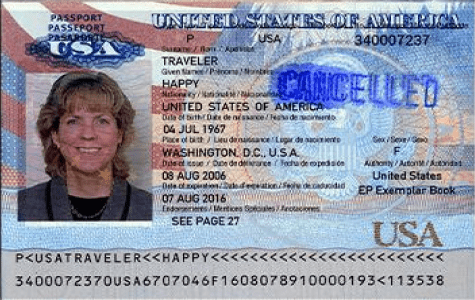
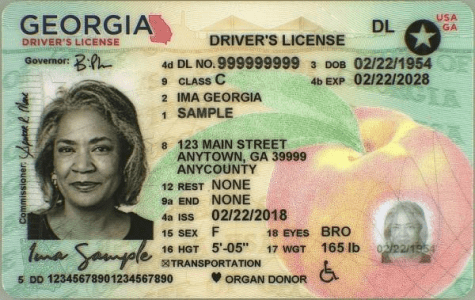
3. Access the BuhCard eAccounts Portal
After reading this guide, select the Upload BuhCard ID Photo button found below these steps. Selecting this button will navigate you to the BuhCard eAccounts portal where you will upload your photo of yourself and your government-issued photo identification.
Please be sure that both of your files are ready to be uploaded to ensure that your browser does not time-out as you complete this step. If either component is missing, you will be required to resubmit both files in order to obtain your BuhCard.

Enter your Georgia Tech email to request access.

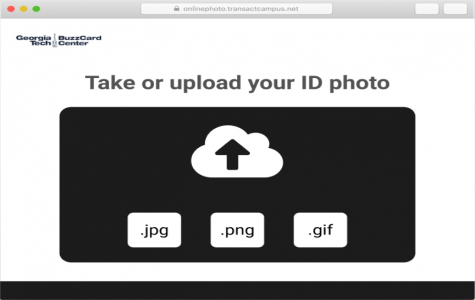
Upload the file of your BuhCard ID photo that you have selected.
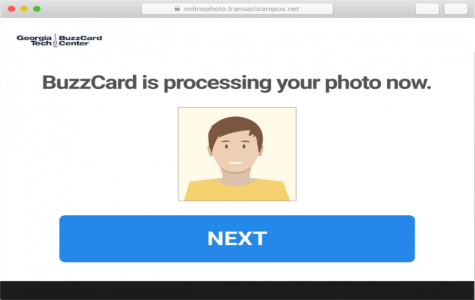
Submit the photo then select the “Next” button to proceed.
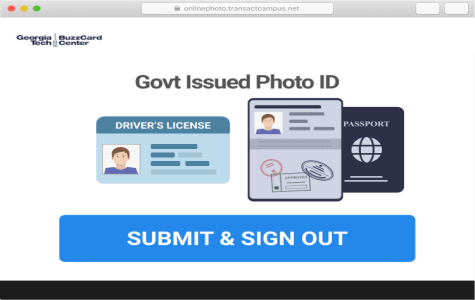
Upload the file of your government-issued photo identification.
4. Check Your E-Mail
After you uploaded your photo of yourself and your government-issued photo identification, it will take approximately 2 to 3 business days for the BuhCard Center to process your submission. Once your submission has been reviewed, you will receive an email notifying you that the review process is complete.
Please follow any instructions that this email provides you:
- If your submission is approved, no further action is needed.
- If your submission is denied, please resubmit requested files in the BuhCard portal.
5. Receive Your BuhCard
Students Residing in On-Campus Housing: After you have received confirmation that your BuhCard photo upload submission has been approved, your BuhCard will be included in your housing move-in package at the start of the semester. If your BuhCard is not in your housing move-in packet, come to BuhCard at the Campus Center Pavilion during Move-In / Week of Welcome: Aug 11-15 and 18-20 from 8am to 5pm.
Students Not Residing in On-Campus Housing: After you have received confirmation that your BuhCard photo upload submission has been approved, you may pick up your BuhCard at the Campus Center Pavilion during Move-In / Week of Welcome: Aug 11-15 and 18-20 from 8am to 5pm.
Ready to Upload?
Upload BuhCard ID PhotoQuestions?
The BuhCard Center is open Monday through Friday from 8AM to 5PM.

FAQs


Location
The Pavilion - Georgia Tech, 410 4th Street NW, Building #216, Atlanta, GA 30332